Systems | Hardware | Cloud | Security | Users | Training
24/7 Company Support
One Support Partner Behind Your Whole Business
Pringle PCS provides a complete support service designed to keep your technology reliable, your employees productive and your organisation prepared when something goes wrong.
We can become your outsourced IT department or work alongside an existing internal team, providing additional knowledge, escalation support, monitoring, training and emergency assistance.
24/7 AvailabilityInfrastructure SupportCyber SecurityEmployee Development
Live Support Overview
Support Ready
SystemsWorkstations, servers and business applications
BackupsBusiness data and recovery processes
SecurityNetwork and endpoint protection
PeopleUser support, guidance and training
Your IT Support Should Protect the Business, Not Just Repair Computers
Technology now supports orders, email, customer service, remote working, finance, websites, security, files and daily communication. When one part fails, the effect can quickly move across the organisation.
Pringle PCS looks beyond the immediate fault. We help clients understand the cause, restore the service and identify what can be improved to reduce the chance of the same problem returning.
For organisations without an internal IT team, we can provide a complete outsourced support function. Where an internal team already exists, we can provide technical backup, specialist escalation, project assistance and practical upskilling.
Complete Support Ecosystem
Support for the Systems, People and Services Behind Your Business
Select an area below to see the dedicated support available.
Data Centre
Secure and scalable hosting options including Azure, physical servers, virtual machines and Hyper-V environments.
Explore Data Centre365 Administration
User setup, licences, permissions, Exchange, Teams, SharePoint, Azure and Microsoft 365 administration.
Explore 365 AdministrationFortiGate & ESET
Layered network and endpoint protection using firewalls, VPNs, antivirus, monitoring and security controls.
Explore FortiGate & ESETWebsite Hosting
Website design, secure hosting, SSL, backups, maintenance, analytics support and SEO guidance.
Explore Website HostingCCTV & Alarm Systems
CCTV, alarms, remote monitoring and security services delivered with SAS Alarm Systems.
Explore CCTV & Alarm SystemsOffice 365 Support
Practical user support for Teams, SharePoint, Outlook, Word, PowerPoint, Excel and Microsoft 365.
Explore Office 365 SupportGekko 365 Support
CRM, tasks, sales, invoicing, dashboards, administration and regular online training for clients.
Explore Gekko 365 SupportTraining Discounts
Contracted support clients can access discounted IT, Business Skills, First Aid and team-development training.
Explore Training DiscountsSupport Packages
Guide prices for sole traders, small businesses, medium organisations and multi-site support arrangements.
Explore Support PackagesA Clear Support Process
From Reported Problem to Long-Term Improvement
Every request should have ownership, communication and a clear route to resolution.
Report
Contact Pringle PCS by the agreed support route and explain the issue or request.
Assess
We identify the affected users, systems, urgency and potential business impact.
Resolve
Remote or on-site action is taken in line with the support agreement and available access.
Communicate
The customer receives updates, actions and any information required from their team.
Prevent
Where appropriate, we recommend maintenance, training, security or process improvements.
Business Continuity Depends on More Than One Person Knowing What to Do
Support arrangements should reduce dependence on a single employee, supplier or device. Pringle PCS can document systems, maintain access information, support staff changes and provide additional technical capacity during holidays, sickness, growth or urgent projects.
Our combined development and training capability also means we can help solve the technical issue and then show employees how to use the corrected system more confidently.
Included Client Benefits
Contracted support is designed to provide wider value beyond fault resolution.
- Gekko 365 access: Complimentary access to the Pringle PCS CRM and business-management platform, subject to the support agreement.
- Discounted professional training: Up to 50% reductions on selected IT, Business Skills and First Aid courses where applicable.
- Team-building discounts: Reduced rates on agreed activities designed to improve communication and morale.
- Practical guidance: Advice on systems, users, security, Microsoft 365 and future improvements.
Why Organisations Choose Pringle PCS
- Complete support: Infrastructure, applications, security, users and training through one partner.
- Flexible role: A complete outsourced IT department or additional support for an internal team.
- Commercial understanding: Technical decisions considered alongside the business process they support.
- Long-term relationship: Support, training, development and improvement as the organisation changes.
- 24/7 options: Assistance outside normal office hours under the applicable agreement.
Do Not Wait for IT Failure to Discover the Weakness in Your Support Plan
Arrange a review of your systems, support requirements, users, security, training and business-continuity risks.
Azure | Physical Servers | Virtual Machines | Hyper-V | Backup
Data Centre & Cloud
Secure Infrastructure Designed Around Your Business Systems
Pringle PCS provides flexible hosting and infrastructure options for organisations that need reliable access to business applications, databases and company data.
The correct environment depends on performance, security, availability, integration and recovery requirements—not simply on choosing between “cloud” and “server”.
Azure CloudPhysical ServersVirtual MachinesBackup & Recovery
Infrastructure Status
Support Ready
Cloud ResourcesScalable Microsoft Azure services
Server PlatformPhysical and virtual environments
SecurityAccess, firewall and encryption controls
RecoveryBackup and recovery planning
Your Infrastructure Must Be Available When the Business Needs It
Server and cloud decisions affect performance, security, remote access, backup, software compatibility and future growth. A low-cost environment that cannot support the business during a critical period can become far more expensive than the original saving.
Pringle PCS reviews the applications, users, data, locations and recovery requirements before recommending an appropriate hosting arrangement.
Hosting Options
Cloud, Physical and Virtual Infrastructure
Select the combination that provides the right balance of performance, control and scalability.
Azure Cloud Servers
Scalable Microsoft Azure resources for approved applications, storage and services that need flexible capacity.
Physical Server Hire
Dedicated physical environments for workloads that require private resources or specific server configurations.
Virtual Machines
Virtualised server environments providing separation, flexibility and efficient use of infrastructure resources.
Hyper-V Virtualisation
Microsoft Hyper-V environments for hosting multiple controlled virtual systems on suitable infrastructure.
Secure Data Centres
Hosting designed around controlled access, resilience, monitoring and business-continuity requirements.
Backup & Recovery
Automated backup options and recovery assistance to protect business-critical information.
Security and Reliability
- Controlled user and administrator access.
- Firewall, encryption and security options appropriate to the design.
- Regular backup options and recovery planning.
- Monitoring and technical support under the agreed service.
- Capacity planning for changing workloads and users.
Application and Business Integration
- Support for databases and web applications.
- Microsoft 365 and Azure integration.
- Business systems such as Sage and A400 where technically appropriate.
- Remote access for authorised users.
- Migration planning to reduce unnecessary disruption.
Managed Change
A Structured Infrastructure Project
Moving or rebuilding a server environment requires planning, testing and a clear recovery route.
Assess
Review current servers, applications, storage, users and performance.
Design
Select the cloud, physical or virtual architecture required.
Prepare
Create the environment, access controls, backups and migration plan.
Migrate
Move agreed systems and data through a controlled implementation.
Support
Monitor, maintain and improve the live infrastructure.
Backup Is Only Valuable When Recovery Has Been Considered
Storing a copy of data is not the same as having a complete recovery plan. Pringle PCS can help identify what must be restored first, who needs access and how the business will continue while systems are being recovered.
Build Infrastructure That Supports the Business You Are Becoming
Discuss Azure, physical servers, virtual machines, Hyper-V, backups, migration and ongoing infrastructure support.
Users | Licences | Exchange | Teams | SharePoint | Azure
Microsoft 365 Administration
Secure, Structured Administration from Joiner to Leaver
Microsoft 365 administration affects every employee who uses email, Teams, SharePoint, files, calendars and cloud services.
Pringle PCS helps organisations create users correctly, assign suitable access, manage licences and maintain a controlled process when responsibilities change or an employee leaves.
User SetupPermissionsExchangeAzure Integration
Microsoft 365 Administration
Support Ready
UsersAccounts, roles and access requirements
ExchangeMailboxes, policies and mail flow
Teams & SharePointCollaboration and document access
SecurityPermissions, MFA and account controls
Every User Account Is a Door into Your Business
Accounts should be created, changed and removed through a consistent process. Incorrect permissions can prevent employees from working or expose information to people who do not need it.
Pringle PCS provides practical Microsoft 365 administration aligned with employee roles, departmental requirements and security responsibilities.
Administration Services
Control the Full Microsoft 365 User Lifecycle
From the first day of employment to role changes and final account closure.
User Accounts
Create accounts, usernames, mailboxes and approved access for new employees.
Permissions & Security
Manage passwords, multi-factor authentication, roles and access to company information.
Licence Allocation
Assign suitable Microsoft 365 licences according to employee responsibilities and required applications.
Exchange & Outlook
Mailbox setup, migrations, policies, spam controls and email troubleshooting.
Microsoft Teams
Create teams and channels, manage meeting access and support collaboration settings.
SharePoint
Sites, document libraries, permissions, workflows and user access.
Azure Integration
Identity, virtual machines, storage, backup, recovery and networking where included in the design.
Leaver Process
Remove or transfer access, protect company information and manage mailbox or file handover.
New Employee Setup
- Create the approved user account and email address.
- Assign the agreed Microsoft 365 licence.
- Apply the correct security and authentication requirements.
- Grant access to Teams, SharePoint, files and calendars.
- Prepare the device and applications where included.
- Provide user guidance and training.
Role Change or Employee Departure
- Review the information and services the user can access.
- Transfer approved files, mailboxes or responsibilities.
- Remove access at the agreed time.
- Protect company data and shared resources.
- Reallocate or remove licences where appropriate.
- Maintain an auditable administrative record.
Microsoft 365 Administration and Microsoft 365 Training Should Work Together
Correct technical setup is only the beginning. Pringle PCS can also teach users how to work with Teams, SharePoint, Outlook, Word, Excel and PowerPoint, reducing avoidable support requests and improving productivity.
Proactive Management
Reduce Problems Before They Reach the User
Reviewing licences, inactive accounts, access and shared resources can identify unnecessary cost and security risk.
Make Microsoft 365 Easier to Administer and Safer to Use
Arrange a review of users, licences, Exchange, Teams, SharePoint, Azure and account security.
Firewall | VPN | Endpoint Protection | Antivirus | Monitoring
FortiGate & ESET Security
Layered Protection for Your Network, Devices and Business Data
Pringle PCS works with FortiGate and ESET technologies to provide security controls tailored to the organisation, its users and its working environment.
A firewall protects the network boundary, while endpoint protection helps secure the laptops, desktops and mobile devices used by employees.
Firewall ProtectionSecure VPNEndpoint SecurityThreat Monitoring
Security Protection Status
Support Ready
Network EdgeFirewall and threat-protection controls
Remote AccessVPN connections for authorised users
EndpointsESET protection for company devices
MonitoringReview and response under the service
Security Requires Layers, Not One Product
No single device or antivirus product can remove every cyber risk. Effective protection combines network controls, endpoint security, secure remote access, backups, user awareness and a clear response process.
Pringle PCS helps clients select, install and support appropriate FortiGate and ESET technologies as part of a wider business-security arrangement.
Layered Protection
Protect the Network and the Devices Connected to It
Security controls should reflect where employees work, how systems are accessed and what data the organisation must protect.
FortiGate Firewalls
Advanced firewall controls designed to protect the business network from unauthorised access and external threats.
Secure VPN Access
Controlled remote connections for authorised users working away from the main premises.
Threat Detection
Security functions that help identify and respond to suspicious or unwanted activity.
ESET Endpoint Protection
Protection for laptops, desktops and approved devices used by employees.
Ransomware Defence
Endpoint security and good working practices intended to reduce ransomware risk.
Data Encryption
Encryption options for sensitive information and suitable devices.
Centralised Management
Manage security policies and endpoint status from a central administration environment.
Ongoing Support
Installation, monitoring, updates and issue resolution under the agreed service.
Network Security
- Firewall configuration and rule management.
- Internet and network-segment protection.
- Secure VPN access for authorised remote users.
- Threat-detection and security-policy support.
- Scalable arrangements for changing sites and users.
Endpoint Security
- Protection for laptops and workstations.
- Ransomware and malware defence.
- Security policy and update management.
- Device and status visibility through central administration.
- Encryption options for suitable business devices.
Security Technology Still Depends on Employee Behaviour
Strong security tools can be weakened by reused passwords, unsafe links, uncontrolled data sharing or unapproved software. Pringle PCS can combine technical protection with employee guidance and security awareness training.
Security Lifecycle
Review, Protect, Monitor and Improve
Review
Identify networks, devices, users, remote access and current risks.
Configure
Install and configure the agreed FortiGate and ESET controls.
Protect
Apply policies, VPN access, endpoint protection and updates.
Monitor
Review alerts, status and reported security incidents.
Improve
Adjust controls, training and recovery planning as risks change.
Strengthen the Network Before an Incident Tests It
Discuss firewalls, VPNs, endpoint protection, ransomware defence, encryption and employee security awareness.
Design | Hosting | SSL | Backup | Analytics | SEO | Maintenance
Website Hosting & Support
A Professional Online Presence Supported by a Technical Team
Pringle PCS provides website creation, hosting and maintenance services designed to help businesses remain visible, secure and accessible online.
We can support the technical platform, assist with website changes and help employees understand analytics, content and search visibility.
Responsive WebsitesSSL SecurityBackupsAnalytics Support
Website Service Status
Support Ready
WebsiteResponsive customer-facing experience
SSLEncrypted browser connections
BackupsRecovery copies under the service
MaintenanceUpdates and technical assistance
Your Website Is Often the First Support Conversation with a New Customer
A website should explain what the business provides, create confidence and make it easy for visitors to take the next action. It also needs dependable hosting, security and maintenance behind the design.
Pringle PCS combines website development with hosting and long-term support, allowing technical problems and content improvements to be managed through one relationship.
Complete Website Service
Design, Host, Protect and Improve Your Website
From the first design discussion to ongoing updates and performance guidance.
Custom Website Design
Websites designed around your company brand, services, customers and business objectives.
Mobile-Responsive Layouts
Pages designed to work across desktop, tablet and smartphone screens.
Custom Functionality
Contact forms, booking systems, e-commerce functions and bespoke web features.
Secure Hosting
Hosting environments supported by monitoring, security controls and backup options.
SSL Certificates
Setup and renewal support for encrypted website connections.
Analytics Guidance
Training and support to understand visitor behaviour and website performance.
SEO Guidance
Technical and content guidance intended to improve the structure and visibility of the website.
Maintenance & Support
Updates, changes, backups and technical assistance under the agreed service.
A Better Customer Experience
- Clear presentation of services and contact information.
- Responsive layouts for different devices.
- Fast access to key pages and calls to action.
- Professional branding and consistent content.
- Forms and functions designed around customer needs.
A Better Management Experience
- One technical team for hosting and website support.
- SSL, backup and maintenance guidance.
- Analytics training and performance review.
- Content and SEO support.
- Future development when the business grows.
Website Journey
From Requirement to Supported Live Website
Discover
Understand the company, audience, services and website objectives.
Design
Plan the pages, content, branding and user journey.
Develop
Build the responsive site and required functions.
Launch
Test, secure and publish the approved website.
Support
Maintain, update and improve the live service.
Hosting and Website Development Should Not Be Separate Problems
When the same support team understands the website and the hosting environment, technical issues can be investigated more efficiently and future development can be planned with the existing platform in mind.
Give Your Business a Website That Is Supported After It Goes Live
Discuss website design, hosting, SSL, backups, analytics, SEO guidance and ongoing maintenance.
CCTV | Intruder Alarms | Remote Access | Monitoring | Keyholder Support
CCTV & Alarm Systems
Site Security Delivered with SAS Alarm Systems
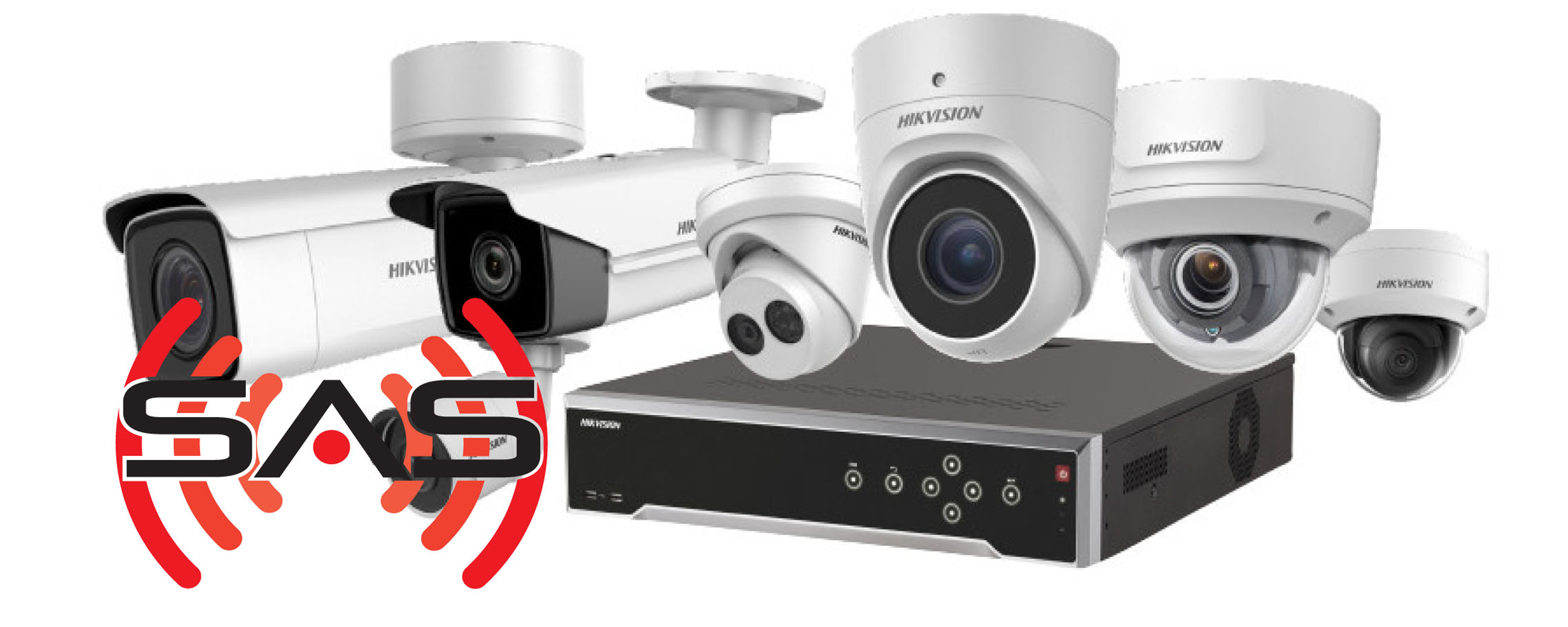
Pringle PCS partners with SAS Alarm Systems to provide CCTV and alarm services for businesses and selected client homes.
Solutions are designed around the property, risks, monitoring requirements and the way authorised users need to view or manage the system.
CCTV SystemsIntruder AlarmsRemote Access24/7 Monitoring
Site Security Overview
Support Ready
CamerasVisual monitoring and stored footage
AlarmIntrusion detection and alerts
Remote AccessAuthorised phone, tablet or PC access
KeyholderAgreed response and contact arrangements
Security Systems Should Be Designed Around the Site
Camera positions, entry points, lighting, storage, remote access and monitoring requirements all affect the quality of a CCTV or alarm installation.
Pringle PCS and SAS Alarm Systems work with clients to understand the property and recommend a suitable arrangement rather than treating every site as identical.
Security Services
Monitor the Property and Respond to Risk
Combine surveillance, detection, remote visibility and agreed support.
Full CCTV Systems
High-quality camera systems designed to provide clear surveillance and retained footage.
Remote Access
Authorised users can view or manage suitable systems from a phone, tablet or computer.
Intruder Alarms
Alarm systems designed to detect unauthorised access and generate alerts.
24/7 Monitoring
Monitoring options intended to keep the property protected outside normal working hours.
Key Account Assistance
Priority guidance and agreed support arrangements for key account holders.
Installation & Support
Professional installation, maintenance guidance and ongoing issue resolution.
Business Security
- External and internal CCTV coverage.
- Entry-point and intruder-alarm protection.
- Recorded footage for authorised review.
- Remote visibility for approved users.
- Monitoring and response options.
Why Use PCS and SAS?
- Experienced installation and technical guidance.
- Solutions matched to the site and identified risks.
- A combination of security technology and ongoing support.
- Support for key account holders and selected client homes.
- One relationship connecting wider IT and site-security requirements.
Site Security Project
Review, Design, Install, Test and Support
Review
Discuss the site, access points, risks and security objectives.
Design
Select suitable camera, alarm, recording and monitoring arrangements.
Install
Fit and configure the approved equipment.
Test
Confirm coverage, alerts, remote access and user responsibilities.
Support
Provide ongoing maintenance and issue-resolution options.
See What Is Happening and Strengthen How the Site Responds
Arrange a discussion about CCTV, alarms, remote access, monitoring and keyholder requirements.
Teams | SharePoint | Outlook | Word | PowerPoint | Excel
Office 365 User Support
Practical Help That Keeps Employees Working and Builds Confidence
Pringle PCS supports employees across the Microsoft 365 application suite, helping them resolve problems and use the available tools more effectively.
Because Pringle PCS is also a professional training provider, a support request can become an opportunity to improve the employee’s knowledge rather than simply fixing the immediate issue.
TeamsSharePointOutlookExcel
Microsoft 365 User Support
Support Ready
TeamsMeetings, channels and collaboration
SharePointDocuments, sites and permissions
OutlookEmail, calendars and synchronisation
Office AppsWord, PowerPoint and Excel assistance
Sometimes the System Is Working, but the Employee Still Cannot Complete the Task
Support is not always a server or login problem. Employees may need help formatting a document, creating an Excel formula, sharing a file, joining a Teams meeting or understanding how SharePoint permissions affect collaboration.
Pringle PCS combines troubleshooting with practical guidance, helping users complete the immediate task and improve their confidence for the next time.
Application Support
Support Across the Microsoft 365 Working Day
From email and meetings to documents, spreadsheets and shared information.
Microsoft Teams
Setup, channels, meetings, permissions, troubleshooting and practical feature guidance.
SharePoint
Sites, documents, libraries, permissions, security and workflow support.
Outlook
Account setup, synchronisation, rules, calendars, email issues and spam controls.
Microsoft Word
Templates, formatting, collaboration, mail merge and document troubleshooting.
Microsoft PowerPoint
Slide design, branded presentations, advanced features and presenter support.
Microsoft Excel
Formulas, pivot tables, dashboards, macros, conditional formatting and data support.
Technical Troubleshooting
- Account and application sign-in problems.
- Synchronisation and file-access issues.
- Meeting, calendar and email problems.
- Document and spreadsheet errors.
- Permissions and collaboration difficulties.
- Application setup and configuration.
Practical User Development
- Show the employee the correct process.
- Explain why the problem occurred.
- Create reusable templates and examples.
- Recommend appropriate training where required.
- Help departments use Microsoft 365 more consistently.
- Reduce repeated avoidable support requests.
Technology Only Delivers Value When Employees Know How to Use It
Pringle PCS can provide focused support, one-to-one coaching, scheduled courses and private company training across Microsoft Teams, SharePoint, Outlook, Word, PowerPoint, Excel, Power BI and related business skills.
Support to Training
Resolve the Problem and Build the Skill
Give Employees Support That Improves More Than Today’s Task
Request help with Teams, SharePoint, Outlook, Word, PowerPoint, Excel or wider Microsoft 365 skills.
CRM | Tasks | Sales | Invoicing | Dashboards | Administration
Gekko 365 Support
Ongoing Support and Training for the Pringle PCS Business Platform
Gekko 365 helps businesses manage customers, sales activity, internal tasks, invoices and management dashboards within one structured system.
Pringle PCS clients receive access and ongoing support according to their agreement, together with regular online training designed to help employees use the platform confidently.
CRMTask ManagementSales TrackingDashboards
Gekko 365 Support
Support Ready
CustomersCompany and contact records
TasksOwnership and outstanding activity
SalesOpportunities and performance
InvoicesCommercial records and reporting
Support the System and the Business Process Behind It
Gekko 365 is not only a database containing customer details. It connects customer relationships, sales, tasks, invoicing and reporting. Support therefore needs to understand both the technical platform and the business process employees are trying to complete.
Pringle PCS can help users, administrators and managers resolve issues, configure the system and improve how information is recorded and used.
Gekko 365 Functions
Practical Support Across the Complete CRM Workflow
From creating a customer record to reporting on sales and outstanding activity.
Customer Records
Add, update, search and manage company and contact information.
Contact History
Record calls, emails, meetings, notes and agreed actions.
Task Management
Create, assign and monitor work across employees and teams.
Sales Management
Manage opportunities, activities, stages and sales performance.
Invoicing
Create, send and manage invoices and related customer information.
Dashboards
Build clear views of performance, activity and outstanding work.
Email Mailshots
Create targeted customer communications and campaign activity.
Gekko Administration
Configure users, permissions, settings and agreed system controls.
User Support
- Finding and updating customer information.
- Recording contact history and follow-up actions.
- Creating and completing tasks.
- Managing opportunities and sales activity.
- Creating invoices and reports.
- Using dashboards and search functions.
Administrator Support
- Creating users and permissions.
- Configuring agreed system settings.
- Maintaining data quality and structures.
- Creating dashboards and reports.
- Supporting departments and new employees.
- Planning future improvements and integrations.
Regular Online Gekko 365 Training for Pringle PCS Clients
Three-hour online sessions can cover core user functions, tasks, sales management, sales tracking, invoicing, dashboards, email mailshots and Gekko administration. Availability and included access are subject to the applicable client agreement.
Commercial Result
Use the CRM as an Active Business Tool
Get More Value from Gekko 365
Request user support, administrator guidance, training, dashboards or help improving the way your team uses the platform.
IT | Business Skills | First Aid | Mental Health | Team Building
Support Client Training Discounts
Develop the People Who Use and Depend on Your Technology
Contracted support clients can receive discounted professional training across IT, Business Skills, First Aid, Health & Safety, Mental Health and Team Building.
The discount structure helps organisations turn recurring support issues and development needs into practical employee training.
IT TrainingBusiness SkillsFirst AidTeam Building
Client Training Benefits
Support Ready
DiscountsReduced rates for contracted support clients
TeamsPrivate company sessions and workshops
DeliveryOnline, classroom and client-site options
SkillsPractical training around working roles
Support Fixes Today’s Problem. Training Reduces Tomorrow’s Problem.
When the same questions, spreadsheet mistakes or application difficulties appear repeatedly, the best answer may be structured training rather than another individual support call.
Pringle PCS combines technical support and professional training, making it easier to identify where employees need additional confidence or a consistent company-wide process.
IT & Business Skills
Individual and One-to-One Training Discounts
Guide prices from the current contracted support discount structure.
| Course Type | Standard Price | Support Client Price |
|---|---|---|
| Online Single Booking | £120 pp | £60 pp |
| Scheduled Course at Skywalker House | £150 pp | £75 pp |
| Online One-to-One | £345 | £245 |
| One-to-One at Client Site or Skywalker House | £395 | £245 |
Private Company Training
Company Classroom Discounts
| Session | Standard Price | Support Client Price |
|---|---|---|
| Individual Day Online Maximum 10 delegates | £495 | £245 |
| Individual Day at PCS or Client Site Maximum 10 delegates, laptops included | £595 | £295 |
| Online 3-Hour Session Maximum 10 delegates | £345 | £95 |
| PCS or Client-Site 3-Hour Session Maximum 10 delegates, laptops included | £345 | £145 |
Collaboration
Team-Building Discounts
| Group Size | Standard Price | Support Client Price |
|---|---|---|
| Up to 10 People | £745 | £495 |
| Up to 20 People | £995 | £745 |
First Aid, Health & Safety and Mental Health Training
Additional discounted pricing is available for First Aid, Paediatric First Aid, Health & Safety and Mental Health courses. Contact Pringle PCS for current availability and the best applicable support-client rate.
Price and Availability Information
Training prices, course dates, delegate limits, travel, equipment and accreditation requirements should be confirmed when booking. Discounts apply in accordance with the active contracted support agreement.
Turn Support Knowledge into a Stronger Workforce
Discuss a training plan covering Microsoft 365, Excel, Power BI, management, customer service, First Aid, Health & Safety or mental health.
Sole Traders | Small Business | Medium Business | Multiple Sites
Contracted Support Prices
Support Packages Tailored to Your People, Systems and Risk
The guide prices below provide a starting point for contracted support. The final package depends on the number of users, devices, servers, sites, applications and services that Pringle PCS will support.
A support review allows us to understand the current environment and provide a clear proposal based on the organisation’s genuine requirements.
Sole TradersSmall TeamsGrowing BusinessMultiple Sites
Support Package Review
Support Ready
UsersEmployees and authorised support contacts
DevicesComputers, servers and peripherals
ServicesMicrosoft 365, hosting and applications
CoverageHours, response and on-site requirements
A Support Price Should Reflect the Environment Being Protected
Two companies with the same number of employees may have very different support requirements. One may use cloud applications and a small number of laptops; another may operate servers, specialist software, several locations and extended working hours.
Pringle PCS reviews the complete environment before confirming the service, responsibilities and final price.
Guide Prices
Contracted Support Price Structure
The values below are the current guide prices supplied for the support page.
Sole Trader
£495
Guide package for up to 2 users.
Small Business
£995
Guide package for up to 5 employees.
Medium Business
£1,995
Guide package for up to 20 employees.
Over 20 Employees
Quote
Pricing for larger or multi-site organisations.
| Business Size | Guide Price |
|---|---|
| Sole Trader 2 users | £495 |
| Small Business Up to 5 employees | £995 |
| Medium Business Up to 20 employees | £1,995 |
| Business Over 20 Employees Or multiple sites | Price on Request |
What Shapes the Final Proposal?
- Number of users and supported contacts.
- Computers, laptops, servers and network devices.
- Microsoft 365 and cloud services.
- Business applications and databases.
- Sites, remote users and operating hours.
- Backup, security and on-site support requirements.
What Should Be Clear in the Agreement?
- Supported systems and organisations.
- How requests are reported and prioritised.
- Remote and on-site support arrangements.
- Responsibilities retained by the client.
- Excluded work and separately quoted projects.
- Review, renewal and change-control arrangements.
The Cheapest Support Package Is Expensive If It Does Not Cover the Systems You Depend On
A clear support review identifies the technology, people and risks that need to be included. The objective is to provide a service that is realistic, understandable and capable of supporting the way the business actually operates.
Guide Price Information
All values shown are guide prices from the supplied support-page structure. The final scope, price, payment terms and included services will be confirmed in a written Pringle PCS proposal.
Build a Support Package Around Your Business
Request a review of users, devices, servers, Microsoft 365, security, backups, sites and operating hours.
 Telephone: 0114 2813350 | Email: sales@pringlepcs.co.uk | 24/7 Support: 0114 2813351 | Email: support@pringlepcs.co.uk
